Advertising
Register for free: access more results and features
command key
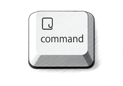
View images
Definition
Translation of "command key" in Dutch
Definition NEW
Hold the command key or use shift to select multiple files.
Houd de Command-toets ingedrukt of gebruik de Shift-toets om meerdere bestanden te selecteren.
To select multiple photos, hold down the Command key as you click.
U kunt meerdere foto's selecteren door de Command-toets ingedrukt te houden terwijl u klikt.
Use the Ctrl or Command key to check all the places where you want to find your items.
Selecteer alle plaatsen waar u het item terug wilt kunnen vinden met de Ctrl of de Command toets.
Select the Linksys Connect icon and press the Command key.
Selecteer de Linksys Connect pictogram en druk op de Command toets.
Macintosh users: substitute the Command key when instructions in this chapter say to use the Control key.
Macintosh-gebruikers: gebruik de toets Command wanneer de instructies in dit hoofdstuk zeggen om de Ctrl-toets te gebruiken.
Note that Mac users use the Command key instead of the Ctrl key.
Mac-gebruikers gebruiken de toets Command in plaats van Ctrl.
You can select multiple by holding the control key (command key on a Mac).
U kan er meerdere selecteren door de control toets ingedrukt te houden (command toets op een Mac).
Tip: on an iPad, hold down the command key to see the full list of available keyboard shortcuts.
Tip: hou op een iPad de command-toets ingedrukt als je de volledige lijst met sneltoetsen wil zien.
To see a list of shortcuts for common commands, press and hold the Command key on the keyboard.
Als u een lijst met sneltoetsen voor veelgebruikte opdrachten wilt zien, houdt u op het toetsenbord de Command-toets ingedrukt.
Select the first photo, then hold down the Command key and click additional photos
De eerste foto selecteren, Command-toets ingedrukt houden en klikken op de overige foto's
To have more than one correct answer, hold down the Command key while you select the answers.
Als er meerdere antwoorden juist zijn, houdt u de Command-toets ingedrukt terwijl u de antwoorden selecteert.
If you hold down the Command key while dragging, you can move the window to any position on the screen.
Als u de Command-toets ingedrukt houdt terwijl u sleept, kunt u het venster naar elke positie in het scherm verplaatsen.
Select a photo, a folder, or a disk, or press the Command key while you click individual photos.
Selecteer een foto, een map of een schijf of houd de Command-toets ingedrukt terwijl u op afzonderlijke foto's klikt.
Images of command key

command-toets
Synonyms and analogies of "command key" in English
Word & Expression of the day
Image of the day

Suggestions that contain command key
Results: 125. Exact: 125. Elapsed time: 55 ms.
