Advertising
Register for free: access more results and features
command key
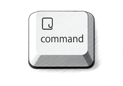
View images
Definition
Translation of "command key" in Romanian
Definition NEW
tasta Comandă
tasta de comandă
tasta Command
View images
To have more than one correct answer, hold down the Command key while you select the answers.
Pentru a avea mai mult de un răspuns corect, țineți apăsată tasta Comandă în timp ce selectați răspunsurile.
Select the first text you want, then select additional text while holding down the Command key
Selectați primul text pe care îl doriți, apoi selectați alt text ținând apăsată tasta Comandă
Well, press the command key and start hitting all the other keys.
Apasă pe tasta de comandă și apoi pe celelalte.
Feature: Double tap docs - hover over a function/class name and double tap the command key quickly.
Caracteristică: Docs dublu atingeți - treceți peste un nume de funcție/ clasă și atingeți rapid tasta de comandă rapid.
Just hold the Command key a bit longer to get a list of all active short cuts of the current application.
Țineți apăsată tasta Command un pic mai mult pentru a obține o listă cu toate scurgerile active ale aplicației curente.
To see a list of shortcuts you can use with an app, press and hold the Command key when you're using the app or on the Home screen.
Pentru a vedea o listă de scurtături pe care le poți folosi cu o aplicație, apasă și menține apăsată tasta Command atunci când folosești aplicația sau de pe ecranul principal.
Press and hold the Command key.
Țină apăsată tasta Comandă.
Command key while dragging to another volume: Move the dragged item to the other volume, instead of copying it.
Tasta Comandă simultană cu tragerea într-un alt volum: mută articolul tras într-un alt volum, în loc să-l copiezi.
Tip: You can also press the Command key while your pointer is over a selection handle, then drag to rotate.
Sfat: De asemenea, puteți să apăsați tasta Comandă în timp ce cursorul se află deasupra unui mâner de selecție, apoi să trageți pentru rotire.
Command key while double-clicking: Open a folder in a separate tab or window.
Tasta Comandă simultană cu dublu clic: deschide un dosar într-o filă sau o fereastră separată.
You can select one file to export, or hold the Command key on your Mac computer to select multiple files.
Puteţi selecta un fişier la export, sau menţineţi apăsată tasta de comandă pe computer Mac pentru a selecta mai multe fişiere.
Previously only the Command key on OS X would work.
Anterior, doar tasta de comandă pe OS X ar funcționa.
Rotate an object: Select it, hold down the Command key and move the pointer over a selection handle until it changes to a curved, double-headed arrow, and drag the handle.
Rotiți un obiect: Selectați-l, țineți apăsată tasta Comandă și mutați cursorul pe un mâner de selecție până când se transformă într-o săgeată curbă, cu două vârfuri și trageți mânerul.
Images of command key

tasta comandă
tasta Command
Synonyms and analogies of "command key" in English
Word & Expression of the day
Image of the day

Suggestions that contain command key
Results: 40. Exact: 40. Elapsed time: 28 ms.
