Advertising
Register for free: access more results and features
command key
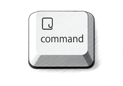
View images
Definition
Translation of "command key" in Turkish
Definition NEW
Komut tuşuna
Command tuşunu
kumanda anahtarı
komuta anahtarı
View images
The keyboard shortcuts used for activating Exposé can be customized to be any of the function keys, the shift, control, option or command key, the fn key on Mac laptops, or even a mouse button on multiple-button mice (including Apple Mighty Mouse).
Exposé'yi etkinleştirmek için kullanılan anahtar, herhangi bir işlev tuşu, kaydırma, kontrol, seçenek veya komut tuşu, Mac dizüstü bilgisayarlarındaki fn tuşu veya çok düğmeli farelerde (Apple Mighty Mouse da dahil olmak üzere) bir fare düğmesi olarak özelleştirilebilir.
On Mac keyboards made after 2004, Exposé can be activated by using the F3 key or in combination with the command key, or on the trackpad of Macbooks supporting multi-touch interface.
2004'ten sonra yapılan Mac klavyelerinde, Exposé F3 tuşunu kullanarak veya komut tuşu ile birlikte etkinleştirilebilir veya çok dokunmalı arayüzü destekleyen Macbook'ların trackpad'inde etkinleştirilebilir.
Command key while double-clicking: Open a folder in a separate tab or window.
Çift tıklarken Komut tuşu: Bir klasörü ayrı bir sekmede veya pencerede açar.
Command key while dragging to another volume: Move the dragged item to the other volume, instead of copying it.
Başka bir disk bölümüne sürüklerken Komut tuşu: Sürüklenen öğeyi kopyalamak yerine başka bir disk birimine taşır.
For example, to use the Command-V keyboard shortcut to paste copied text, press and hold the Command key at the same time as the V key, then release both keys.
Örneğin kopyalanan metni yapıştırmak amacıyla Komut-V klavye kestirmesini kullanmak için Komut tuşu ile V tuşunu aynı anda basılı tutun, sonra her iki tuşu da bırakın.
Hold down the [CTRL Key] (for Mac use the [Command Key]) and choose your songs - this will then enable you to drag the selected group of songs to your iPhone in one go.
[CTRL] tuşunu basılı tutun (Mac için [Komut Tuşu] kullanın) ve şarkılarınızı seçin - bu, seçilen şarkı grubunu tek seferde iPhone'unuza sürüklemenizi sağlayacaktır.
Change the action performed by the Command key or other modifier key: Tap Modifier Keys, tap a key, then choose the action you want it to perform. Helpful?
Komut tuşu veya başka bir niteleme tuşu tarafından gerçekleştirilen eylemi değiştirme: Niteleme Tuşları'na dokunun, bir tuşa dokunun, sonra gerçekleştirilmesini istediğiniz eylemi seçin.
To set up fast searching, open VoiceOver Utility (press VO-F8 when VoiceOver is on), click the Navigation category, select the "Enable fast searching" checkbox, then choose a Command key to use.
Hızlı aramayı ayarlamak için VoiceOver İzlencesi'ni açın (VoiceOver açıkken VO-F8 tuşlarına basın), Dolaşma kategorisini tıklayın, "Hızlı aramayı etkinleştir" onay kutusunu seçin, sonra kullanmak için bir Komut tuşu seçin.
The command key I have entered is revoking your authority.
Kullandığım bu kontrol anahtarı senin yetkini iptal ediyor.
Or, if you continue holding down the command key and drag anywhere outside an axis ring, you can control all three axis points at the same time.
Veya, komut tuşunu basılı tutarak devam edecek ve bir eksen ring dışında herhangi bir yere sürükleyin eğer, aynı anda üç eksenli noktalarını kontrol edebilirsiniz.
The command key I have entered is revoking your authority.
Yerleştirdiğim kumanda anahtarı senin yetkini geçersiz kılıyor.
The command key I have entered is revoking your authority.
Taktığım komuta anahtarı senin yetkini iptal ediyor.
For Mac users, you should press the command key and then the letter I in order to perform the same action.
Mac kullanıcıları için, aynı eylemi gerçekleştirmek için komut tuşuna ve ardından I harfine basmalısınız.
Images of command key

komut tuşu
command tuşu
Synonyms and analogies of "command key" in English
Word & Expression of the day
Image of the day

Suggestions that contain command key
Results: 56. Exact: 56. Elapsed time: 39 ms.
