Publiciteit
Registreer gratis: toegang tot meer resultaten en functies
shift key

View images
Definitie
Vertaling van "shift key" in Nederlands
Definitie
shift key
hoofdlettertoets
shift-knop ingedrukt
You can select multiple layers by holding down the shift key while clicking.
Je kunt meerdere lagen selecteren door de Shift toets in te drukken tijdens het klikken.
Fine grained scrolling when dragging the scroll bar handle, or scrolling while holding the shift key.
Fijnkorrelig scrollen bij het verslepen van de scrollbalkhandel of scrollen met ingeduwde shift toets.
To force the bet on, hold down the shift key and click directly on the bet.
Om de inzet op te dringen, houdt u de Shift-toets ingedrukt en klik direct op de inzet.
Hold down the shift key while you click the bookmarks.
Houd de Shift-toets ingedrukt terwijl u op de bladwijzers klikt.
Hold down the shift key while typing numbers to get the symbols on top.
Houd de shift-toets ingedrukt terwijl je cijfers typt om de tekens erboven te krijgen.
Pressing the shift lock key keeps all letters uppercase without holding the shift key.
Als je de shift-locktoets indrukt, blijven alle letters hoofdletters zonder dat je de shift-toets ingedrukt hoeft te houden.
The name of an element by which the popup can be dragged without holding the shift key.
De naam van een element waarmee de popup kan worden versleept zonder dat u de shift-toets ingedrukt houdt.
If you ever want to log on with another user account, hold down the shift key as you log off.
Als u met een andere gebruikers account wilt aanmelden kan u tijdens het afmelden de shift-toets ingedrukt houden.
Hold down the shift key while drawing.
Houd de shift-toets ingedrukt terwijl je tekent.
Show previous controlpoint. Hold down the shift key to follow keyframes.
Vorige controlepunt tonen. De shift-toets ingedrukt houden om keyframes te volgen.
Hold down your shift key, click in two frames - Edit - Delete
Klik met de shift toets van je toetsenbord ingedrukt in twee frames - Bewerken - Verwijderen
Without the shift key, typing uppercase letters would be very difficult.
Zonder de shift-toets zou het heel lastig zijn om hoofdletters te typen.
Using the shift key can change numbers into special characters in your password.
Met de shift-toets kun je cijfers omzetten in speciale tekens in je wachtwoord.
 Ga naar Premium voor toegang tot miljoenen vertaalvoorbeelden, onbeperkt woorden opslaan en leren, zonder advertenties.
Images of shift key
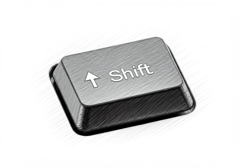
shifttoets

shifttoets
Synoniemen voor shift key in het Engels
Woord & uitdrukking van de dag
Afbeelding van de dag

Suggesties
Resultaten: 712. Exact: 712. Verstreken tijd: 41 ms.
