
Traduction de voix, fonctionnalités offline, synonymes, conjugaison, jeux éducatifs
Publicité
Inscrivez-vous gratuitement : plus de résultats et de fonctionnalités
pane

Voir images
Dual pane file browsing with drag and drop greatly increases your productivity.
드래그 듀얼 창 파일 검색 및 생산성을 크게 향상 드롭.
Tools pane view is highly intuitive, allowing for quick navigation.
도구 창 보기는 매우 직관적이어서 빠르게 탐색할 수 있습니다.
This procedure can be used for tables other than the structure pane.
이 절차는 구조 창이 아닌 테이블에 대해 사용할 수 있습니다.
Improves stability when opening the preview pane while editing a building pad.
건물 패드를 편집하는 동안 미리보기 창을 열 때 안정성이 향상되었습니다.
Double-click a folder in the left pane to reach sub-projects or folders.
하위 프로젝트 또는 폴더에 접근하려면 왼쪽 창의 폴더를 더블 클릭합니다.
The information pane allows users to configure settings concurrently for multiple switches.
정보 창을 통해 여러 스위치에 대한 설정 값을 동시에 구성할 수 있습니다.
All regions currently assigned to that row appear selected in the preview pane.
행에 현재 지정된 모든 영역이 미리보기 창에 선택된 상태로 나타납니다.
You can scroll the left pane to access all of the library icons.
왼쪽 창을 스크롤하여 모든 라이브러리 아이콘에 액세스할 수 있습니다.
However, you can dock the panel in the navigation pane later.
그러나 나중에 이런 패널을 탐색 창에 고정할 수 있습니다.
Select the command button to display its details in the lower right pane.
오른쪽 아래 창에 디테일을 표시하기 위해 명령 단추를 선택합니다.
Simply drag this bar down to create another window pane.
이 막대를 아래로 끌면 또 다른 윈도우 창이 작성됩니다.
The workflow pane displays the selected house connectors and related features.
워크플로우 창에 선택한 하우스 커넥터 및 관련 피쳐가 표시됩니다.
A command entered in the input pane can contain tabs or carriage returns.
입력 창에 입력되는 명령은 탭 또는 캐리지 리턴을 포함할 수 있습니다.
 Passez à Premium pour accéder à des millions d’exemples de traduction, enregistrer et apprendre du vocabulaire en illimité, le tout sans publicité.
Images pour pane

창유리
유리판

패널
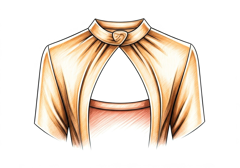
패널
천 조각
Expressions avec pane : exemples et leurs traductions en coréen
Synonymes et analogies de "pane" en anglais
Le mot et l’expression du jour
L’image du jour
Suggestions qui contiennent pane
Résultats: 6695. Exacts: 6695. Temps écoulé: 30 ms.
