Publicité
Inscrivez-vous gratuitement : plus de résultats et de fonctionnalités
Shift key

Voir images
Définition
Traduction de "Shift key" en roumain
Définition NEW
Voir images
Tap the Shift key again to turn caps lock off.
Apăsaţi din nou tasta Shift pentru a dezactiva blocarea majusculelor.
Then log back in to the same account without holding down the Shift key.
Apoi conectați-vă înapoi la același cont fără a apăsa continuu tasta Shift.
The Shift key has been locked and is now active for all of the following keypresses.
Tasta Shift a fost blocată și este acum activă pentru toate apăsările următoare.
Shift key gives access to secondary functions of keys
Tasta Shift permite accesarea funcţiilor secundare ale tastelor
Holding down the Shift key stops programs from loading automatically, and it is probably one of these programs that is causing your problem.
Dacă țineți apăsată tasta Shift, împiedicați încărcarea automată a programelor; probabil unul dintre aceste programe provoacă problema.
To scroll through available skins press the left or right keys on your keyboard, and press your Shift key to spawn.
Pentru a parcurge skin-urile disponibile apasati tasta dreapta sau stanga de pe tastatura, si apasati tasta Shift pentru a va spawna.
After you click your user account or type your password, immediately press the Shift key and hold it until your desktop and taskbar are visible.
După ce faceți clic pe contul de utilizator sau tastați parola, apăsați imediat pe tasta Shift și țineți apăsat până când devin vizibile desktopul și bara de activități.
Shift key + select area on map with mouse while holding down the left mouse key
Tasta Shift + selectează zona pe hartă cu mouse-ul în timp ce ţii apăsată tasta din stânga a mouse-ului
You held down the Shift key for 8 seconds or an application has requested to change this setting.
Ați ținut apăsată tasta SHIFT mai mult de 8 secunde sau o aplicație a cerut modificarea acestei setări.
When inserting points in parameter curves, the Shift key enables to insert a "end of curve" point, that is detached from the following point.
Când introduceți puncte în curbe de parametri, tasta Shift permite introducerea unui punct "sfârșit de curbă", care este detașat de
Sort the table by any field, including sorting by multiple fields (up to 3), hold the Shift key
Sorta tabelul de orice domeniu, inclusiv sortarea prin mai multe domenii (de până la 3), țineți apăsată tasta Shift
Shift key to jump.
Tasta Shift pentru a sari.
The Shift key turns blue, and all letters you type are uppercase.
Tasta Shift devine albastră şi toate literele pe care le scrieţi sunt cu majuscule.
Images pour Shift key
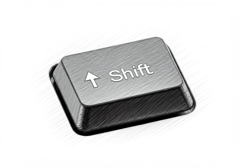
tasta shift
tastă de majuscule

tastă shift
tastă majusculă
Synonymes et analogies de "Shift key" en anglais
Le mot et l’expression du jour
L’image du jour
Suggestions qui contiennent Shift key
Résultats: 190. Exacts: 190. Temps écoulé: 48 ms.
