
Gesproken tekst vertalen, offlinefuncties, synoniemen, vervoegingen, educatieve spelletjes
Publiciteit
Registreer gratis: toegang tot meer resultaten en functies
DISPLAY
View images
Vertaling van "DISPLAY" in Spaans
Vervoegen
DISPLAY Setting You can change the display functions.
The wall acting as both STORAGE and DISPLAY permit multiple graphic patterns, bold and iconic.
La pared actúa como almacenamiento y visualización que permiten múltiples diseños gráficos audaces y emblemáticos.
Information about the code used can be obtained using the DISPLAY command.
Puede obtenerse información sobre el código utilizado mediante el mandato DISPLAY.
Press DISPLAY and hold until the title begins to scroll to the left.
Presione DISPLAY hasta que el título comience a desplazarse hacia la izquierda.
Press and hold the DISPLAY button for a few seconds until appears.
Mantenga presionado el botón DISPLAY durante unos segundos hasta que aparezca.
The DISPLAY button on the remote control will not function either.
El botón DISPLAY del mando a distancia tampoco funcionará.
This is the default if DISPLAY is not set.
Esto es lo que hace por defecto si DISPLAY no está establecida.
Then press the DISPLAY button again to exit.
A continuación, presione de nuevo el botón DISPLAY para salir.
On the back of the main unit, press DISPLAY button.
En la parte posterior de la unidad principal, pulse el botón DISPLAY.
Hold down the DISPLAY key while plugging the unit in.
Mantenga apretada la tecla de DISPLAY mientras enchufa la unidad.
To clear it, press the DISPLAY button.
Para borrarlo, pulse el botón DISPLAY.
If you press the DISPLAY button again, program description is displayed.
Si pulsa de nuevo el botón DISPLAY, se mostrará la descripción del programa.
Finally, when inside the chroot, set the DISPLAY environment variable.
Por último, cuando estés dentro de tu chroot, necesitas configurar la variable de entorno DISPLAY.
Images of DISPLAY
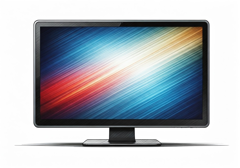
monitor
pantalla
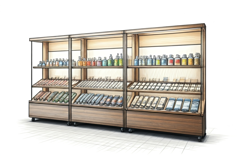
exposición
presentación
Uitdrukkingen met DISPLAY: voorbeelden en bijbehorende vertalingen in het Spaans
! display one's true colors v.
revelar sus verdaderos sentimientos
"She displayed her true colors during the argument."
display board n.
tablero de anuncios
"The display board shows the schedule for the day."
display cabinet n.
vitrina
"The display cabinet held rare coins in the shop."
display name n.
nombre para mostrar
"Her display name on the forum is 'TechGuru'."
display panel n.
panel informativo
"The museum's display panel showed the event schedule."
display screen n.
pantalla
"She wiped fingerprints off the tablet's display screen."
make a display v.
hacer una exhibición
"They make a display of the new products in the store."
on display adj.
en exhibición · expuesto
"The paintings are on display at the gallery."
window display n.
escaparate
"The new window display drew many people to stop and look."
color display n.
pantalla en color
"The new phone features a bright color display that is easy to read."
colour display n.
pantalla en color
"The new phone has a bright colour display that is easy to read."
display settings n.
configuración de pantalla
"Her display settings made the text large enough to read comfortably."
computer display n.
pantalla
"The computer display showed the desktop screen."
digital display n.
pantalla digital · visualizador digital
"The digital display showed the time and temperature clearly."
display case n.
vitrina
"The jewelry was kept in a display case."
pay-and-display adj.
de pago y con ticket
"This is a pay-and-display parking area."
put on a display v.
montar una exposición
"They put on a display of their artwork at the gallery."
visual display n.
exhibición visual
"The visual display in the store attracted many customers."
counter display n.
expositor de mostrador
"The store placed a bright counter display of chocolates near the register."
dazzling display n.
espectáculo deslumbrante
"The fireworks were a dazzling display of colors."
Synoniemen voor DISPLAY in het Engels
Woord & uitdrukking van de dag
Afbeelding van de dag
Suggesties
to display
+10k
on display
+10k
lcd display
+10k
led display
+10k
digital display
+10k
display screen
+10k
display name
+10k
display advertising
+10k
Resultaten: 206132. Exact: 206132. Verstreken tijd: 295 ms.
